Building a better URL: Why the .NET URI Builder needs an upgrade
The built-in .NET classes, Uri and UriBuilder, read URLs fine. But building them, especially the query string, is a pain.
When you use string interpolation for an API call, like this code from my project:
This code builds the full API URL to generate a QR code for a page.
const string PageBaseUrl = "https://a.com/page";
const int PixelsPerModule = 300; // Set QR code resolution

var page = GetPageInfo(); // Get the page details such as page path and page image
var pageFullUrl = $"{PageBaseUrl}/{page.Path}"; // Build the page URL
var pageImageUrl = string.IsNullOrWhiteSpace(page.BgImage)
    ? null
    : $"{PageBaseUrl}/assets/images/{page.BgImage}";

var apiUrl = "https://api.qrcode.com"; // Get QR code API base URL

// Build final QR code generator API URL
var qrCodeApiUrl = $"{apiUrl}/qrcodegenerator/generate?pageUrl={pageFullUrl}&pageImageUrl={pageImageUrl}&pixelsPerModule={PixelsPerModule}";
It looks simple, but it causes two problems:
Safety: You have to make sure every value is URL‑encoded yourself. If you forget, you get bugs or security issues..
Clarity: You have to manually handle the "?" for the first parameter and the "&" for every one after. If a value is null, you need extra logic to skip adding it, or you end up with trailing separators.
We needed something that handles encoding and separators for us.
Introducing the Custom UrlBuilder
I built a small class to make URL building easier. It uses a fluent style, so you can chain calls and build the URL step by step.
The main goal was to make the query string simple to build. The method handles:
- Checking whether to add
?or&or/. - Encoding the key and value safely using
Uri.EscapeDataString() - Skipping null values without leaving a mess.
Here is the core code that does the work.
public sealed class UrlBuilder
{
    // ... constructor and other methods ...
    public UrlBuilder WithQueryString(string key, string value)
    {
        if (string.IsNullOrEmpty(key)) { return this; }

        _builder.Append(_hasQuery ? '&' : '?');
        _builder.Append(Uri.EscapeDataString(key));
        _builder.Append('=');

        if (value is not null)
        {
            _builder.Append(Uri.EscapeDataString(value));
        }
        _hasQuery = true;
        return this;
    }
    // ... path and dictionary overloads ...
}
And here is the full public API for UrlBuilder, with all constructors and fluent methods.
Constructors
| Name | Description |
|---|---|
| UrlBuilder(Uri uri) | Creates a new UrlBuilder from an existing Uri. Throws ArgumentNullException if uri is null |
| UrlBuilder(string url) | Creates a new UrlBuilder from a URL string. Throws ArgumentNullException if url is null, or ArgumentException if url is empty |
Path Methods
| Name | Description |
|---|---|
| WithPath(string pathSegment, bool encode = true) | Appends a single path segment to the URL. Null, empty, or slash-only segments are ignored |
| WithPath(params string[] pathSegments) | Appends multiple path segments in order |
| WithPathIf(Func<bool> condition, string pathSegment, bool encode = true) | Conditionally appends a path segment. If the condition is null or returns false, no path is added |
Query Methods
| Name | Description |
|---|---|
| WithQueryString(string key, string value) | Adds a query string parameter. If key is null or empty, the call is ignored. If value is null, the result is key= |
| WithQueryStringIf(Func<bool> condition, string key, string value) | Conditionally adds a query parameter |
| WithQueryString(IEnumerable<KeyValuePair<string, string>> parameters) | Adds multiple query parameters. If parameters is null, the call is ignored |
| WithQueryString(string key, IEnumerable<string> values) | Adds the same query key multiple times. If values is null, the call is ignored |
Fragment
| Name | Description |
|---|---|
| WithFragment(string fragment) | Appends a URL fragment. Null or empty fragments are ignored |
Clearing Methods
| Name | Description |
|---|---|
| ClearQuery() | Removes all query parameters from the URL |
| ClearPath() | Removes the path while preserving scheme, host, and query |
Conversion
| Name | Description |
|---|---|
| ToString() | Returns the final URL string |
| ToUri() | Returns the final URL as a Uri |
Refactoring the Code
With UrlBuilder, the messy string interpolation turns into simple and safe code.
var pageUrl = new UrlBuilder("https://a.com")
    .WithPath("page")
    .WithPath(page.PagePath)
    .ToString();

// Build the final API call URL
var qrCodeApiUrl = new UrlBuilder("https://api.qrcode.com")
    .WithPath("qrcodegenerator", "generate")
    .WithQueryString("pageUrl", pageUrl)
    .WithQueryStringIf(() => !string.IsNullOrWhiteSpace(page.BgImage), "pageImageUrl", page.BgImage) // add conditional query string
    .WithQueryString("pixelsPerModule", PixelsPerModule.ToString())
    .ToString();

// https://api.qrcode.com/qrcodegenerator/generate?pageUrl=https%3A%2F%2Fa.com%2Fpage%2Fmy%2520page&pageImageUrl=https%3A%2F%2Fa.com%2Fassets%2Fimages%2Flogo.png&pixelsPerModule=300
The Proposal and the Core library gap
A few years ago, I shared this idea in the official .NET runtime repo: dotnet/runtime/issues/18874
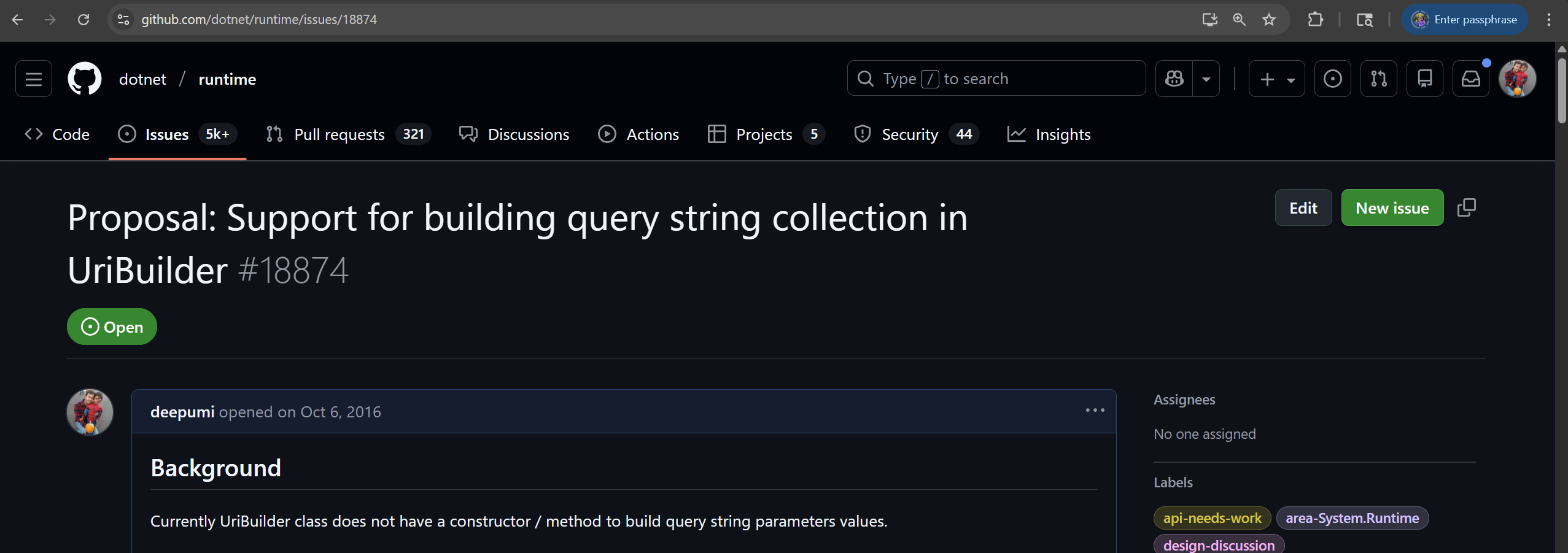
The feedback was to use packages from ASP.NET Core.
But that misses the point. URL building is a basic task. You need it in console apps, class libraries, and desktop apps, not only in web projects. Pulling in web framework packages just to build a query string is too much.
A small, clean UrlBuilder should live in the base class library so every .NET developer can use it without extra dependencies.
What happens now?
The proposal is still open in the .NET repo. It shows how different project types handle URL building in different ways.
If you're already using ASP.NET Core, the tools in that framework work fine. They handle routing and encoding for you.
But if you're building a class library, a console app, or a web crawler, you probably don't want a big framework dependency. In those cases, a small UrlBuilder is the better choice.
It keeps your code focused on the logic instead of worrying about "?" or "&" or missing encoding. The class stays simple and makes URL building clear and safe.
Use the tool that fits the job. For small projects or core libraries, a lightweight fluent builder makes things easier.
Full source
I have not published this as a NuGet library, but you can get the full UrlBuilder code from the GitHub repo. It has no dependencies and is ready to use.